
Using AI for Game Development
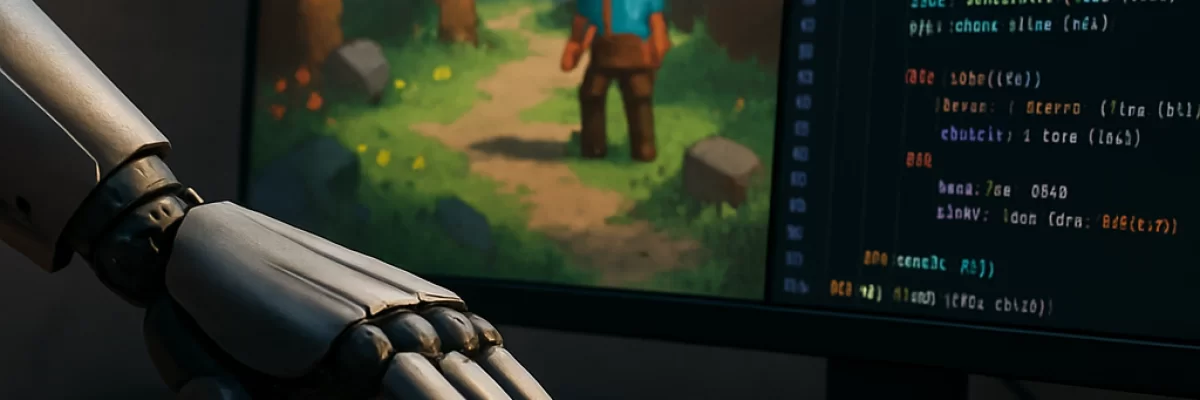
Where AI Helps With Game Development
Creating a game involves many different tasks, and AI is more useful for some than others. A language model can help shape a design brief, break a feature into implementation steps, explain engine code, draft dialogue, suggest test cases, and investigate likely causes of an error. Coding assistants and tool-using agents may also inspect project files, edit code, run commands, or prepare changes for review, depending on the application and permissions you give them.
Image, audio, video, and 3D-related tools can speed up concepting and prototyping. They may help produce character references, textures, sound ideas, dialogue drafts, music sketches, animations, or rough assets. These results are often most valuable as placeholders or as starting points. Consistent, editable, technically compatible release assets still require selection, editing, and review.
AI does not remove the need for game design, engineering, art direction, balancing, playtesting, production, or publishing judgment. The practical goal is to use it as an accelerator for specific tasks.
Start With a Small Playable Slice
Do not begin by asking an AI system to create a complete commercial game. Choose one small slice that can be played and evaluated quickly: one mechanic, one room or arena, a few assets, and a basic win, loss, or restart condition.
Before you ask for help, write down:
- The genre, camera perspective, target platform, and intended audience
- The core gameplay loop and player controls
- The engine and version, if you are using one
- The first feature you want to implement
- The visual or audio direction
- A measurable definition of success
For example, instead of asking for “a complete platform game,” define a prototype in which a player moves, jumps, lands on platforms, collects three objects, and reaches an exit. This gives the AI a bounded problem and gives you something concrete to test.
Use AI to Plan the Game
A text model can turn a rough idea into a structured design brief. Ask it to separate confirmed requirements, assumptions, open questions, risks, entities, input mappings, UI states, and state transitions. This can reveal missing decisions before you spend time implementing them.
A useful request might be:
“Turn this idea into a one-page prototype brief for a top-down game. Define the core loop, player actions, game states, required entities, controls, UI states, first milestone, and likely technical risks. Keep the scope to one arena and list assumptions separately from confirmed requirements.”
Use the result as a discussion document, not as a final design. AI tends to expand scope by adding features, systems, and content. Remove anything that does not help test the central mechanic.
Implement One Feature at a Time
AI coding help is most useful when the task is narrow and the project context is clear. Give the assistant the relevant files, engine version, coding conventions, acceptance criteria, and any constraints on dependencies or architecture. A request such as “make the game better” is difficult to verify. A request such as “add a pause state that stops gameplay input, shows the pause menu, and resumes without resetting the current scene” is easier to review.
Useful tasks include:
- Creating a basic character controller or input mapping
- Explaining an unfamiliar script or engine error
- Adding a small inventory or dialogue state machine
- Writing unit, integration, smoke, or gameplay tests
- Refactoring a bounded section of code
- Generating editor tools or data-conversion scripts
- Suggesting debugging hypotheses from logs and reproducible steps
After each change, inspect the diff, compile or build the project, and run the game. Keep work in a branch or disposable workspace, commit before major changes, and require approval before an agent can modify project settings, install packages, run destructive commands, or access unrelated files.
Generate Prototype Assets Carefully
AI image and asset tools can help you explore a visual direction quickly. You might generate several environment concepts, character silhouettes, texture ideas, icons, or reference images, then choose a direction and refine it manually. Tools for AI image generation can be useful for concept work, while specialist tools such as Meshy may be relevant when exploring 3D asset workflows.
Generated assets often have practical problems:
- Characters or environments may not remain consistent across variations.
- Textures may be difficult to tile, edit, or use at the required resolution.
- 3D assets may need work on topology, rigging, materials, scale, and animation.
- Text in generated images may be incorrect or unusable.
- Sound, music, voices, and dialogue may not fit the game's tone or accessibility needs.
Keep prototype assets clearly labeled. Separate temporary material from assets intended for release, and record the tool, source references, prompts, dates, edits, and applicable terms. Check commercial-use conditions and possible resemblance to protected characters, logos, music, voices, or distinctive artwork before shipping.
Combine Procedural Generation With AI
Procedural generation creates content from rules, parameters, graphs, seeds, and constraints. It is different from asking a generative model for one image or one level, but the two approaches can work together. AI can suggest rules, encounter layouts, item descriptions, or parameter ranges, while a procedural system creates repeatable content from those instructions.
When repeatability matters, use explicit seeds and constraints. Validate generated levels for playability, accessibility, difficulty, collision problems, pacing, and performance. A procedural system does not automatically produce interesting or fair content, so sample outputs still need to be played and reviewed.
Test the Game With AI and Human Playtesting
AI can help create test cases and organize bug reports, but it cannot decide whether a game feels fun or whether its difficulty is appropriate. Give it a clear feature description and ask for edge cases such as invalid input, save and load behavior, scene transitions, controller disconnection, resolution changes, localization, and low-performance hardware.
When debugging, provide a reproducible sequence, relevant logs, screenshots, profiler information, the expected behavior, and the observed behavior. Ask for several possible causes and small diagnostic steps rather than blindly accepting a rewrite.
Then test the result yourself and with other players. Watch for problems that automated checks will miss, including confusing feedback, poor pacing, inaccessible controls, visual clutter, inconsistent difficulty, and mechanics that are technically functional but not enjoyable.
Choose Tools by Capability
The right tool depends on which part of development you are doing. Look for:
- Repository-aware coding help: useful when the assistant can understand relevant files, project conventions, and engine context.
- Controlled code execution: helpful for running builds and tests, but it requires command approval and isolation.
- Image and asset generation: useful for concepting and placeholders, with appropriate export and editing options.
- Procedural or engine integration: useful when you need repeatable content, project data, or editor workflows.
- Multimodal input: useful for reviewing screenshots, logs, diagrams, or reference images. Input support does not necessarily mean the system can generate images, audio, or video.
- Version control integration: valuable when changes can be reviewed as commits or pull requests rather than applied invisibly.
Products may package these capabilities differently. A coding assistant is not automatically an autonomous agent, and a model that accepts screenshots may still return only text. Review the actual application, plan, engine integration, and permissions before relying on a feature.
For a broader starting point, browse AI coding tools, AI image generators, and AI music generation tools. Specific tools such as Cursor, GitHub Copilot, or Replit may suit different coding workflows, but no single product is universal.
Review Privacy, Security, and Cost
Do not upload unreleased designs, confidential contracts, private player data, credentials, proprietary art, or partner information unless the service's terms and data controls allow it. Check retention, training use, logging, administrator access, regional processing, and deletion options.
Treat generated code, shell commands, plugins, dependencies, and editor scripts as untrusted. Keep API keys, signing certificates, platform tokens, and production secrets out of prompts, screenshots, source files, and agent workspaces. Use least-privilege credentials, isolated branches or containers, code review, dependency scanning, and secret scanning.
Budget for subscriptions, API calls, generations, model usage, agent sessions, CI minutes, storage, and human review. Runtime AI can also add latency, availability problems, privacy concerns, moderation work, and unpredictable usage costs. If a game depends on a provider during play, plan for rate limits, outages, version changes, and a fallback behavior.
Check Rights and Provenance Before Release
Do not assume that an AI-generated asset is automatically original, copyright-free, or safe to sell. Copyrightability and permission to use an output are separate questions, and the answer can depend on jurisdiction, provider terms, source material, and the amount of human creative control.
Review the commercial-use terms, output ownership language, training policies, restrictions, and any indemnity language for each service. Keep records of third-party references, datasets, voices, music, fonts, textures, plugins, prompts, generated outputs, and human edits. If the project needs professional or commercial assurance, involve appropriate artists, composers, writers, technical artists, security reviewers, and legal counsel.
When AI Is a Poor Fit
AI may be a poor fit when the task depends on confidential material that cannot be shared, requires guaranteed originality or rights clearance, demands exact artistic consistency across a large asset library, or needs safety-critical and highly reliable behavior without substantial verification. It is also a poor fit when the cost of reviewing and correcting generated work exceeds the time saved.
For most projects, the strongest approach is supervised and incremental: define a small playable slice, ask for a plan, implement one bounded feature, run the game and tests, inspect the result, and expand only after the current version works. AI can contribute code, content, and suggestions, but the game's direction, quality, originality, and release readiness remain human responsibilities.