
Creating Image Descriptions With AI
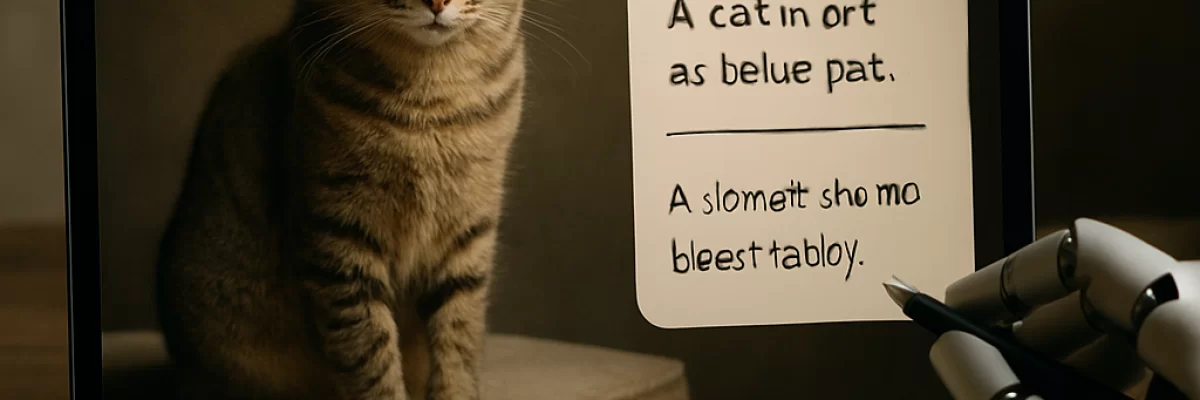
What AI can do with an image
Image-description tools use a model that accepts an image as input and returns text or structured information. Depending on the application or model, you may be able to ask for a general caption, a description of visible objects and actions, text found in the image, answers to visual questions, or metadata for a content-management system.
The same image can need very different descriptions. A product page may need visible features and product attributes. A screen reader may need concise text explaining the image's purpose on the page. A museum record may need a longer description with careful terminology and known historical facts. An internal search system may need labels and keywords rather than polished prose.
AI is usually most useful as a drafting and scaling tool. It can save time on ordinary images and help sort a large collection, but fluent wording does not prove that every detail is correct.
Choose the type of description first
Before uploading an image, decide where the result will be used and what information the reader needs.
- Short caption: A brief description of the main subject, action, and setting.
- Alt text: Concise text that conveys the image's purpose or equivalent information in its surrounding context.
- Long description: A fuller explanation for a chart, diagram, map, technical illustration, or other complex visual.
- OCR or transcription: The words that appear in a screenshot, sign, label, form, or document.
- Metadata: Structured fields such as objects, visible text, language, topics, tags, or review status.
- Visual question answering: An answer to a focused question about the image rather than a general caption.
Do not ask one paragraph to serve all of these purposes. A short alt-text field, an editorial caption, and searchable metadata have different length and accuracy requirements.
A practical way to create a description
- Define the purpose. Tell the AI whether the result is for alt text, a product catalog, a social post, search, documentation, a support response, or another use. Include relevant surrounding text or page context.
- Check the image before uploading. Correct its rotation and use a sufficiently clear version. If small text matters, use a higher-quality image or a specialist OCR process. Avoid cropping away relationships that the description needs to explain.
- Give clear instructions. Specify the audience, language, length, tone, and output format. Ask the system to describe observable facts and mark uncertainty instead of guessing.
- Request the right level of detail. Ask for a concise description for a simple photograph, or a short label followed by a detailed explanation for a complex chart or diagram.
- Review the draft against the image. Check text, names, numbers, object counts, colors that carry meaning, positions, and any claim about people or sensitive characteristics.
- Edit it for the destination. Remove unnecessary visual inventory, repetition, subjective language, and details already provided nearby. Then test the result in the actual website, catalog, application, or screen-reader workflow.
Prompt examples that produce more useful results
A vague request such as “Describe this image” may produce a generic caption. Context and constraints make the result more useful.
For a simple photo:
“Write one concise description for an internal image library. Mention the main subjects, their action, the setting, and any clearly visible text. Describe only what is observable. Do not guess identities, emotions, or locations.”
For accessibility:
“This image appears on a page about coastal erosion. Write concise alt text that explains the image's purpose in that context. Do not list every background detail. If the image is decorative or does not add information beyond the nearby text, say so.”
For a chart:
“Identify the chart type, title, axes, legend, overall trend, and the most important values. Separate observations from uncertainty. Return a short description followed by a detailed summary. Do not treat approximate readings as exact.”
For a screenshot:
“Transcribe the visible error message exactly if possible, then describe the relevant interface state and controls. Mark any characters you are unsure about. Do not infer the cause of the problem from the screenshot alone.”
For automated workflows, ask for separate fields such as short_caption, alt_text, visible_text, uncertain_claims, and review_required. Structured output can make results easier to store, but support for schemas and enforcement varies between applications and APIs.
Alt text needs context
Alt text is not simply a list of everything visible. Its purpose depends on the image's role.
- A decorative image may need empty alternative text so it does not add noise for screen-reader users.
- An informative image should communicate the information that matters to the page.
- A functional image should explain the action or destination, not just describe the icon's appearance.
- An image containing important text may need that text represented in an accessible form.
- A complex chart, map, or diagram may need short alt text plus a longer description, table, transcript, or data equivalent.
- Images grouped with nearby text may need less description if the surrounding content already provides the relevant information.
AI can draft these alternatives, but it cannot determine the correct purpose from pixels alone. Give it the page context, and review whether the description helps someone who cannot see the image.
Where image-description AI works well
AI is often useful for first drafts of ordinary photos, illustrations, screenshots, and basic product images. It can identify prominent subjects, broad actions, settings, visible text, and general relationships. It can also answer targeted questions, translate or rewrite descriptions, and create consistent fields for a collection.
For a large media library, batch processing can create searchable draft captions and tags. A sensible system stores the image identifier, prompt or schema version, model configuration, generated text, review status, edits, and timestamps. Images with people, sensitive content, poor quality, unreadable text, or uncertain outputs should be routed to a review queue rather than published automatically.
Specialist tools may be a better choice when the task depends on highly accurate OCR, document layout, chart extraction, object detection, segmentation, industrial inspection, geospatial analysis, or medical-image interpretation. A general-purpose vision-language model should not automatically replace a domain-specific system.
Common errors to look for
Vision models can produce plausible but incorrect descriptions. Small text, unusual fonts, blur, glare, low contrast, compression, rotation, and low resolution can reduce both OCR and general understanding. Crowded scenes and partially hidden objects can lead to inaccurate counts or missed details.
Models may also confuse similar products or species, mistake an illustration for a photograph, misread logos, or describe spatial relationships incorrectly. Charts, tables, maps, and technical drawings are especially risky when exact values or positions matter. Image resizing, tiling, or application-specific processing can remove details relevant to the task.
Be particularly cautious with claims about a person's identity, emotion, intent, health, occupation, or other sensitive characteristics. Visible clothing, posture, or objects may be described as observations, but conclusions about a person are often unsupported inferences.
Privacy, copyright, and safety
Review the exact service's data-use, retention, access, deletion, and contractual terms before uploading personal, confidential, regulated, proprietary, or security-sensitive images. Consumer applications, business plans, enterprise services, and APIs may handle data differently. Redact faces, addresses, account numbers, medical details, license plates, documents, or credentials when they are not needed.
Make sure you have the rights and permissions required to submit the image and publish the resulting description. The right to process a source image, rights in the original image, and any rights in the generated text are separate questions. Copyright treatment of AI-assisted output can depend on human authorship and the facts of the particular work, so a description should not be treated as automatically protected or unprotected.
Do not use an AI-generated description as the sole basis for medical, legal, employment, education, housing, insurance, financial, safety, security, or law-enforcement decisions. For high-impact or professionally regulated tasks, use qualified human review or an appropriate specialist system.
When AI is a poor fit
Use another approach when exact transcription, measurement, counting, spatial localization, or technical interpretation is essential and the selected system has not been validated for it. Human experts or specialist tools are preferable for medical scans, forensic evidence, industrial safety images, engineering inspections, and legally certified or professionally signed results.
AI is also a poor fit when the service's handling of confidential material cannot be confirmed, when you lack permission to upload the image, or when the meaning depends on cultural, historical, legal, or domain knowledge that the system cannot reliably verify. If only a few high-quality descriptions are needed, a human may be faster and more accurate.
Final checks before using a description
- Does it match the image and the image's purpose in context?
- Are names, dates, numbers, labels, prices, and visible text correct?
- Are object counts, positions, colors, and relationships reliable enough for this use?
- Does it contain guesses about identity, emotion, intent, health, or other sensitive traits?
- Is it concise enough for alt text, or does the image require a longer equivalent?
- Does nearby text already provide some of the information?
- Has a person reviewed content that could affect accessibility, safety, privacy, reputation, or a business decision?
- Can the source image be legally and contractually processed and published?
The best use of AI image description is usually assistive: provide the image and context, ask for a constrained draft, verify important details, and adapt the result to its destination. That approach captures the speed benefits without treating a fluent caption as a verified account of everything in the image.